

When it comes to picking from the Best Benchtop CNC Routers – 2026 has on offer, you don’t care about spec sheets dressed up by a marketing department — you care about whether the tool does the job, day after day, without embarrassing you in front of a customer.
Nobody who actually works for a living cares about a spec sheet. They care about whether the tool does the job, day after day, without embarrassing them in front of a customer.
A good tool doesn’t make you a craftsman, but a bad one will sure make you feel like an idiot. That’s especially true with CNC routers, where a couple hundred bucks of difference in machine quality can mean the difference between a Saturday spent making sawdust art and a Saturday spent troubleshooting stepper motors you can’t afford to replace.
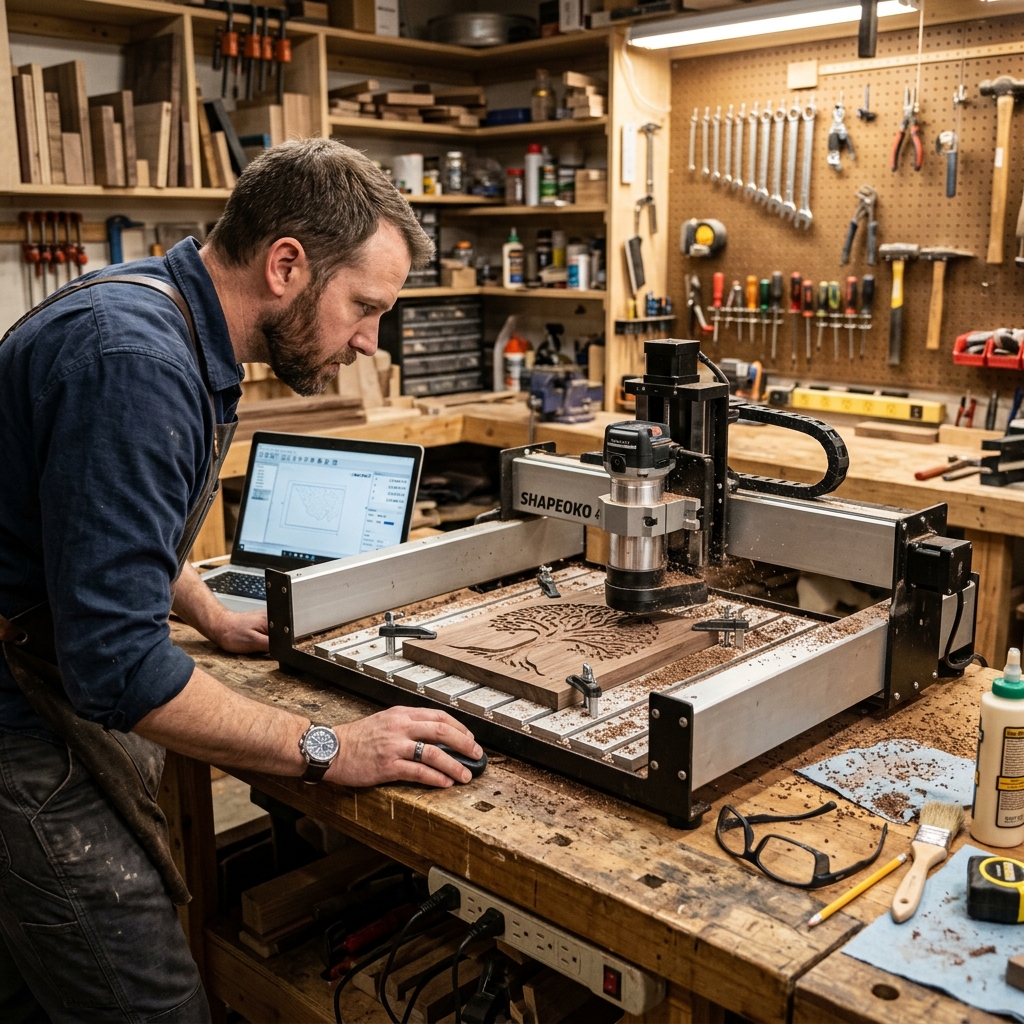
Here’s the thing about CNC routers that nobody tells you when you’re standing in your garage staring at a stack of plywood, dreaming about the signs and furniture and parts you’re going to cut: this technology used to be reserved for guys with machine shops and deep pockets. Not anymore. The benchtop CNC router category has matured the way most good tools eventually do — through years of trial, error, angry customer reviews, and companies actually listening to the people using their machines. A hobbyist working out of a one-car garage, or a small shop owner trying to squeeze profit out of every square foot of floor space, can now get precision that would’ve cost five figures a decade ago. That’s not marketing fluff. That’s just what happens when an industry grows up.
I’m not here to sell you on the shiniest machine some marketing department dreamed up in a conference room. I’ve spent too many years around people who build real things to insult you with a highlight reel. Every router on this list is something you can actually buy today, from a company that’s actually still standing behind it. We dug through specs, cross-checked reviews, and paid attention to what real users say after months of grinding on these machines — not the glowing five-star review some guy posted three days after unboxing. If you’re trying to figure out which benchtop CNC router deserves a spot on your bench, you’re in the right place, and I promise not to waste your time.
How We Picked These Machines

Before I start handing out gold stars, let’s talk about the ground rules. Not every router that pops up in a Google search deserves your hard-earned money, and plenty of “top 10” lists floating around out there are just recycling old copy about machines that got quietly discontinued two years back. Lazy work. We didn’t want to do that to you, because there’s nothing worse than doing your homework, plunking down your credit card, and finding out the company that made your machine folded before your warranty card even reached them.
Currently available. Every machine featured here can be purchased right now — through major retailers like Amazon, specialty suppliers like ToolsToday, or directly from the manufacturer. If we couldn’t verify it was in stock and shippable today, it didn’t make the list. Simple as that.
Manufacturer still in business. A CNC router is only as good as the company standing behind it. Firmware updates, replacement parts, a real human being on the other end of a support line — none of that matters if the outfit that built your machine has closed up shop. Every brand here is actively operating and actively supporting its products as of late 2026.
Range of price points. Not everybody’s working with the same budget, and not everybody needs the same machine. A retiree cutting birdhouses in the garage doesn’t need what a small sign shop needs, and vice versa. We included options for the weekend hobbyist working with a few hundred dollars, all the way up to small business owners ready to invest in something closer to production-grade.
Verified performance and reviews. A spec sheet is one thing. Reality is another. I’ve seen plenty of tools that look great on paper and fall apart the first time somebody actually uses them for a living. We weighted our picks toward machines with a track record of consistent, verified feedback from real owners — not cherry-picked testimonials pulled off a landing page by somebody who’s never touched the machine.
With the ground rules out of the way, let’s get into the actual hardware.
1. SainSmart Genmitsu PROVerXL 4030

Key Specs: 15.7″ x 11.8″ cutting area, 200W spindle, ±0.1mm accuracy, aluminum extrusion frame
The PROVerXL 4030 has been a mainstay in the hobbyist and small-business CNC world for a reason: it hits a sweet spot between price and capability that’s hard to beat. The all-metal frame is a real upgrade from the acrylic-and-wood construction you’ll find on entry-level machines, which means less flex in the frame and more repeatable cuts on the workpiece — which, if you’ve ever fought with a wobbly machine, you know is worth its weight in gold.
Unique Features: The upgraded 200W spindle handles hardwoods and plastics with room to spare, and the machine ships with limit switches and homing capability built in — something plenty of competitors still charge extra for, which tells you something about where SainSmart put their priorities.
Best Suited For: Wood signs, small furniture components, plastic and soft-metal engraving. This is a solid choice for hobbyists graduating from a 3018-style desktop machine who want a real working footprint without needing a dedicated shop.
Price Range: Roughly $700–$900, available on Amazon and directly through SainSmart.
Pros:
- Sturdy metal frame reduces vibration
- Generous cutting area for a benchtop unit
- Active community and solid documentation
Cons:
- Spindle noise is noticeable in shared living spaces
- Software bundle requires some tinkering to dial in
For user reviews, and to buy online for best pricing and fast delivery – Click Here
2. Carbide 3D Shapeoko 5 Pro
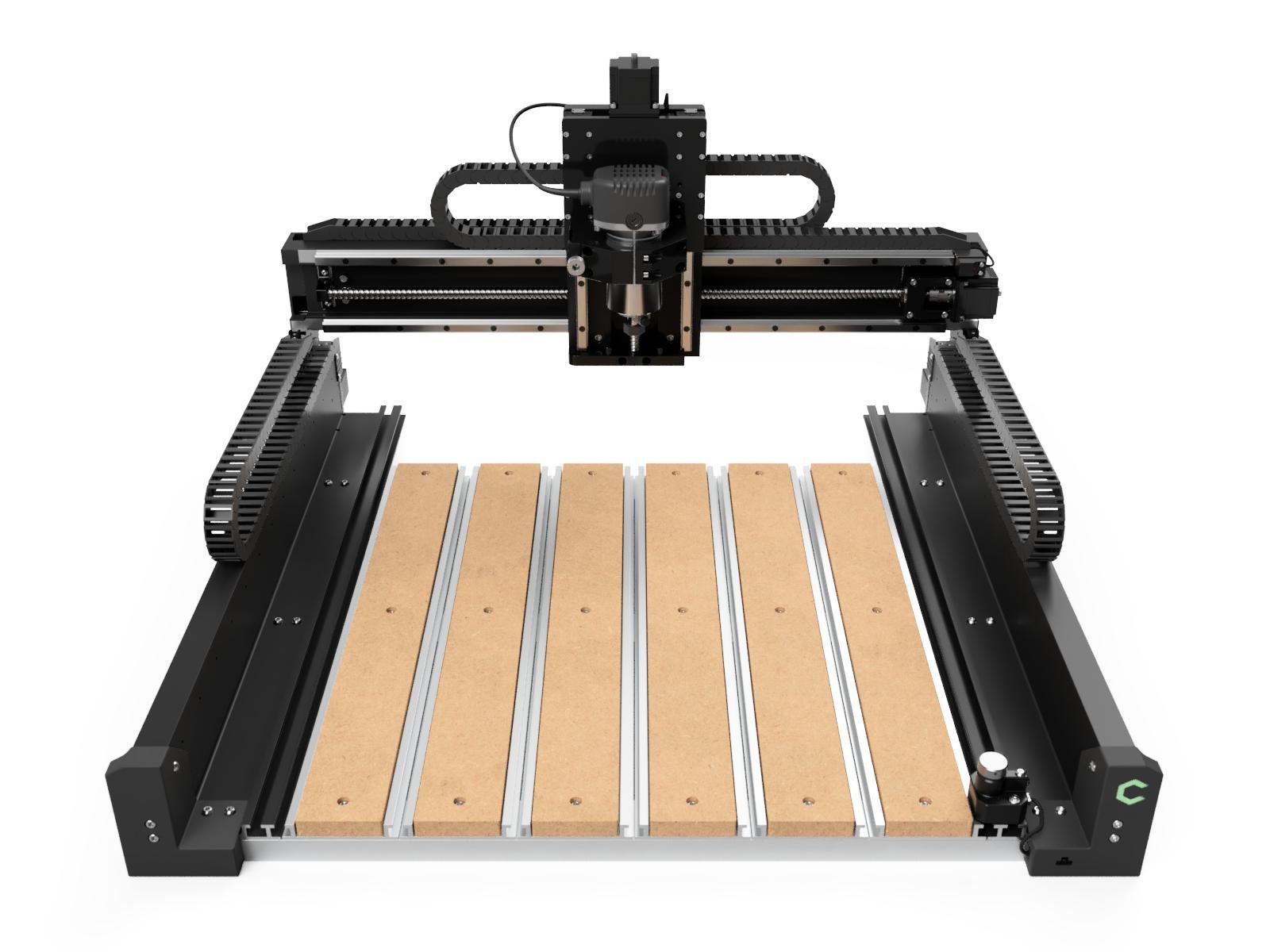
Key Specs: Available in multiple bed sizes (up to 33″ x 33″), Carbide Compact Router or optional spindle, linear rail guidance, accuracy within a few thousandths of an inch
Carbide 3D built its reputation on the original Shapeoko, and the Shapeoko 5 Pro is the mature, refined result of a decade of listening to customer feedback — which, frankly, is more than you can say for a lot of companies in this space. The linear rail system (a step up from the V-wheel setups on cheaper machines) delivers noticeably smoother motion and tighter tolerances, the kind of thing you don’t appreciate until you’ve cut a part that actually fits the way it’s supposed to on the first try.
Unique Features: Carbide Motion software is genuinely beginner-friendly, and the company’s support forum is stacked with real answers from real users — not just canned responses from a call center reading off a script. The BitSetter and BitZero accessories take a lot of the guesswork out of tool changes and workpiece zeroing, which saves you the kind of aggravation that used to eat up an entire afternoon.
Best Suited For: Furniture makers, sign shops, and small businesses producing repeat runs of parts in wood, plastic, and soft aluminum.
Price Range: $2,000–$3,500 depending on configuration, available directly from Carbide3D.com and through ToolsToday.
Pros:
- Excellent build quality and rigidity
- Strong software ecosystem
- Responsive customer support
Cons:
- Higher price point than entry-level machines
- Assembly takes a genuine afternoon, not a quick unboxing
For user reviews, and to buy online for best pricing and fast delivery – Click Here
3. Carbide 3D Nomad 3
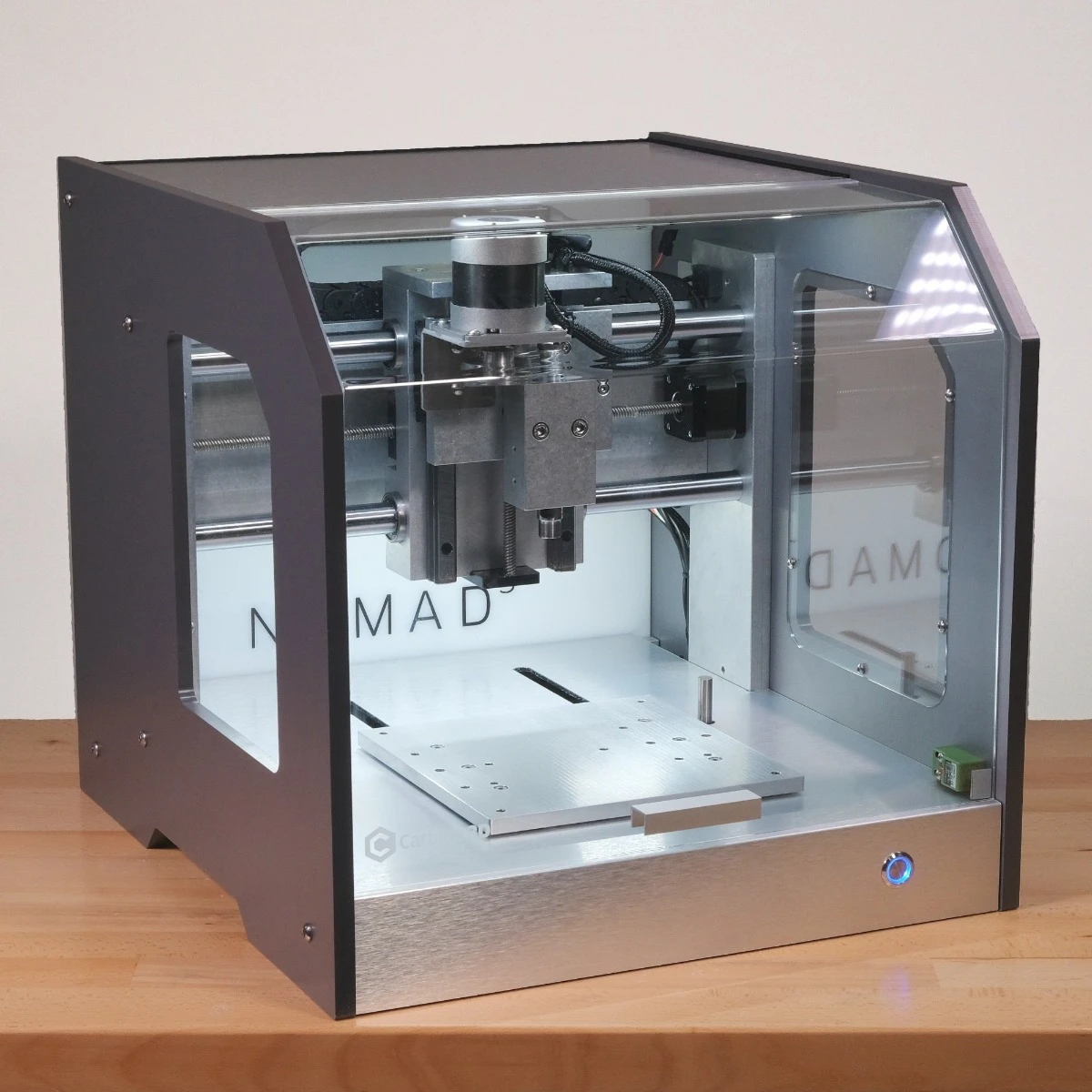
Key Specs: 8″ x 8″ x 3″ fully enclosed work envelope, high-speed brushless spindle, integrated coolant misting, precision within a couple thousandths of an inch
The Nomad 3 doesn’t chase acreage — it chases precision, and it’s earned every bit of the reputation it has for it. Where most benchtop routers on this list are open-frame machines that ask you to build a dust and noise containment strategy from scratch, the Nomad 3 comes fully enclosed right out of the box. Chips stay where they belong, noise stays down to a dull hum instead of a shop-filling whine, and you can run a job in a spare bedroom without your spouse staging an intervention.
Unique Features: The enclosed design isn’t just about tidiness — it’s a rigidity play. A sealed cast frame means less vibration and tighter tolerances than you’d expect from something that fits on a workbench. Add in built-in coolant misting for machining aluminum and brass, and you’ve got a machine that punches well above its footprint when the job calls for real precision instead of raw size.
Best Suited For: Small parts work — jewelry, prototyping, PCB milling, small aluminum or brass components — where tight tolerances matter more than a big bed. This is the machine for the maker who’s tired of babysitting an open-frame router every time it needs to cut something small and exact.
Price Range: $2,500–$3,000, available directly through Carbide3D.com and ToolsToday.
Pros:
- Enclosed design keeps chips and noise contained
- Exceptional precision for its class
- Minimal assembly compared to open-frame machines
Cons:
- Small work envelope compared to open-bed routers
- Not suited for large-format signage or furniture parts
For user reviews, and to buy online for best pricing and fast delivery – Click Here
4. Inventables X-Carve Pro
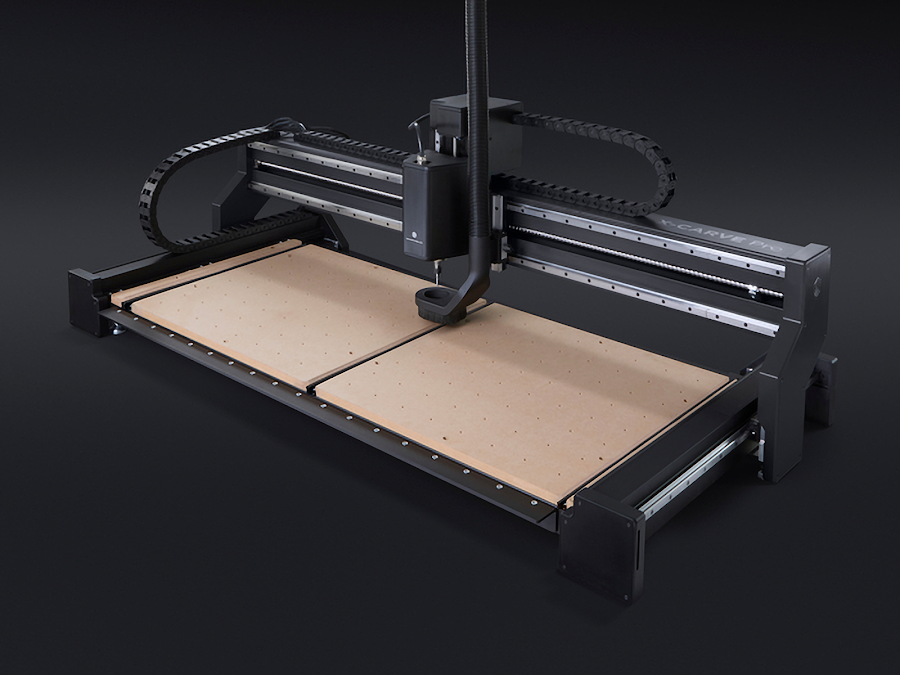
Key Specs: 32″ x 32″ cutting area, 2.2kW spindle option, ball screw or belt-drive configurations, Masso G3 touchscreen controller
Onefinity earned a loyal following by building a machine that feels like it belongs in a small production shop, not a garage hobby bench. The Masso controller is a standout — a touchscreen interface that eliminates the need to tether the machine to a laptop for every job. If you’ve ever had a job get interrupted because your laptop decided to install an update mid-cut, you understand why that matters.
Unique Features: The modular design lets you upgrade from belt-drive to ball-screw components down the line, which means your initial investment isn’t a dead end if your ambitions grow. That’s the kind of forward thinking that separates a tool built by people who actually use tools from one built by people who just sell them.
Best Suited For: Small businesses cutting cabinetry components, hardwood signage, or aluminum parts that demand tighter tolerances than entry-level machines can hold.
Price Range: $2,500–$4,500 depending on spindle and drive configuration, available through Onefinity’s website and select resellers.
Pros:
- Standalone controller means no computer required at the machine
- Excellent rigidity for the price
- Upgrade path protects your investment
Cons:
- Steeper learning curve for CNC newcomers
- Higher upfront cost than beginner-tier machines
To buy online, visit the Inventables website.
5. SainSmart Genmitsu 3018-PROVer V2
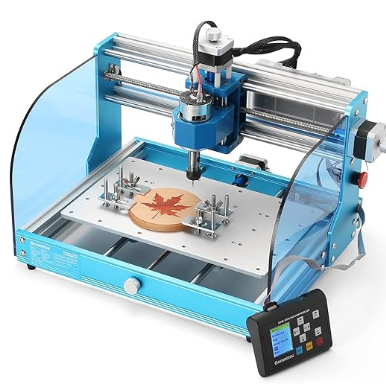
Key Specs: 11.8″ x 7.3″ cutting area, 24V DC spindle, GRBL control, compact steel frame with limit switches
Not everybody’s ready to commit thousands of dollars to a hobby they haven’t tried yet, and that’s exactly the gap the 3018-PROVer V2 fills. It’s small, it’s cheap, and it doesn’t pretend to be anything it isn’t — a genuine entry point into CNC work that won’t wreck your budget if you decide the whole thing isn’t for you.
Unique Features: The updated V2 frame improves on earlier 3018 models with tighter tolerances and a sturdier build, and it ships with limit switches for homing — a feature that used to be reserved for pricier machines in this category.
Best Suited For: Absolute beginners, hobbyists working in wood, soft plastics, and light engraving projects, and anyone who wants to learn CNC fundamentals — G-code, tool paths, feeds and speeds — without a major financial commitment.
Price Range: $220–$320, widely available on Amazon.
Pros:
- Budget-friendly entry point
- Compact size fits tight spaces
- Simple setup process
Cons:
- Limited cutting area restricts project size
- Spindle power insufficient for hardwoods or metals
For user reviews, and to buy online for best pricing and fast delivery – Click Here
6. Snapmaker Artisan
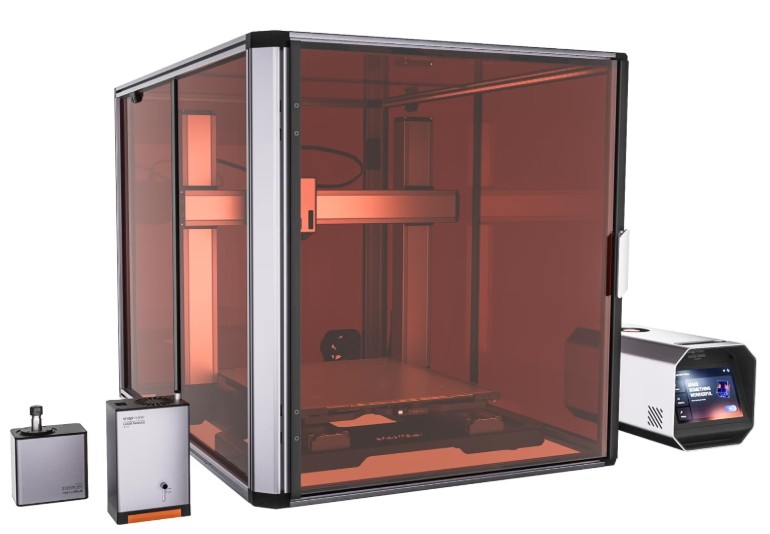
Key Specs: 400mm x 400mm cutting area, 200W CNC module (part of a 3-in-1 system with 3D printing and laser engraving), linear modules for precision motion
Snapmaker took a different approach with the Artisan: instead of building a dedicated CNC router, they built a multi-function platform that swaps between 3D printing, laser engraving, and CNC routing. For makers with limited space who don’t want three separate machines cluttering the shop, this modularity is genuinely useful — kind of like a good multi-tool that actually performs each function well instead of doing everything halfway.
Unique Features: The quick-swap module system means you’re not locked into a single function, which is a real advantage for hobbyists dabbling in multiple fabrication methods.
Best Suited For: Makers who want CNC capability without dedicating permanent bench space to a single-purpose machine.
Price Range: $2,000–$2,800 for the full 3-in-1 bundle, available on Amazon and through Snapmaker directly.
Pros:
- Multi-function versatility saves space and money
- Solid build quality across all three modes
- Active firmware development and support
Cons:
- CNC performance trails dedicated routers at a similar price
- Module swaps add setup time between jobs
For user reviews, and to buy online for best pricing, and fast delivery – Click Here
Comprehensive Comparison Table
|
Router |
Cutting Area |
Spindle Power |
Price Range |
Warranty |
Availability |
|---|---|---|---|---|---|
|
15.7″ x 11.8″ |
200W |
$700–$900 |
1 year |
||
|
Up to 33″ x 33″ |
Varies (router/spindle) |
$2,000–$3,500 |
1 year |
||
|
8″ x 8″ x 3″ (enclosed) |
High-speed brushless spindle |
$2,500–$3,000 |
1 year |
||
|
24″ x 24″+ |
Compatible up to 65mm spindle |
$3,000–$5,000 |
1 year |
||
|
11.8″ x 7.3″ |
24V DC spindle |
$220–$320 |
1 year |
||
|
400mm x 400mm |
200W (CNC module) |
$2,000–$2,800 |
1 year |
Amazon |
Buying Guide: What Actually Matters
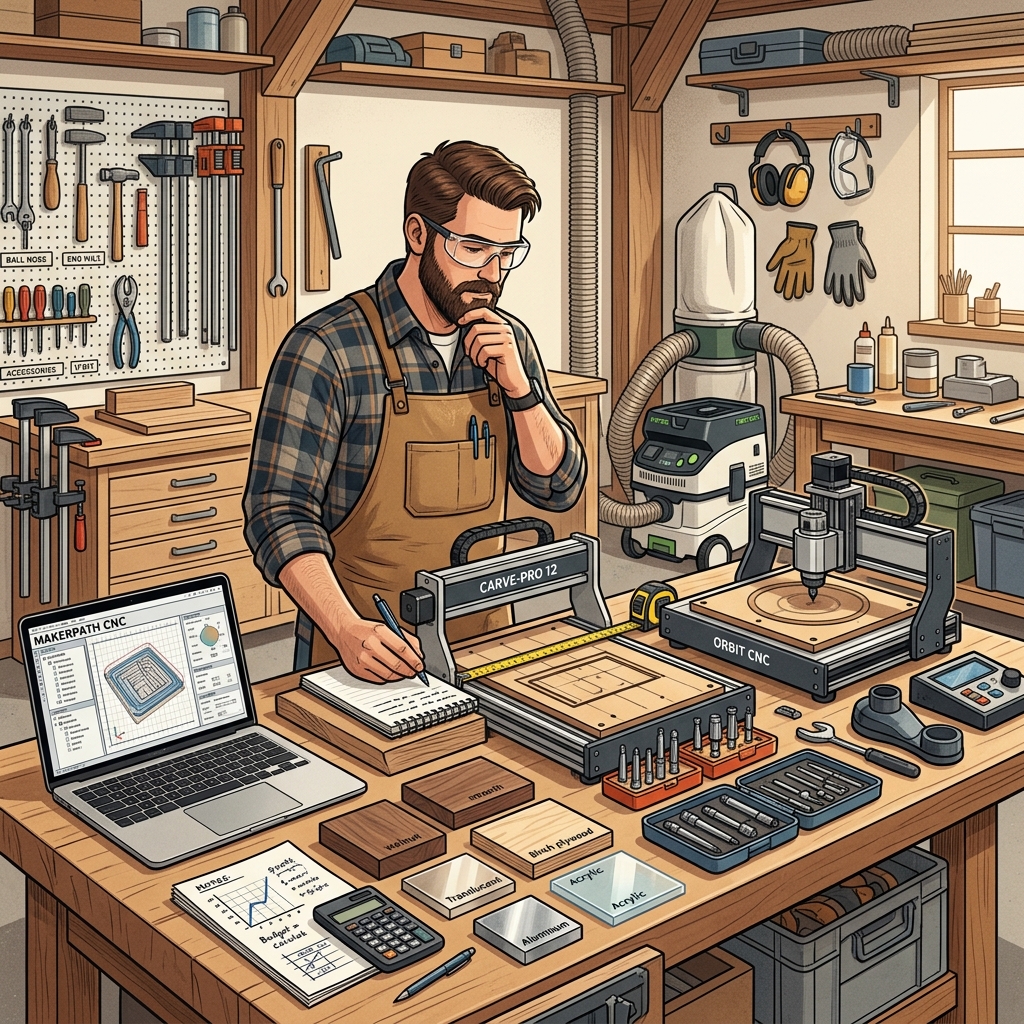
There’s a lot of noise out there about CNC specs, and half of it doesn’t matter one bit for the average person’s shop. Let’s cut through it.
Budget Considerations
If you’re just starting out and want to learn the ropes, spending $5,000 on your first machine is like buying a semi truck to deliver pizzas. A sub-$1,000 machine like the Genmitsu 3018-PROVer V2 or the PROVerXL 4030 will teach you the fundamentals — G-code, tool paths, feeds and speeds — without a catastrophic loss if you decide CNC work isn’t for you after all. And that’s a real possibility. Not everybody who buys a table saw becomes a cabinetmaker, either.
If you’re running a small business and time is money, spending more upfront on a rigid, reliable machine like the Shapeoko 5 Pro or the Nomad 3 will pay for itself in reduced downtime and better part consistency. Cheap out here, and you’ll spend more in wasted material and troubleshooting than you saved on the purchase price. I’ve seen guys try to save a buck on the front end of a job and pay for it three times over on the back end. Don’t be that guy.
There’s also a middle ground worth mentioning: don’t forget to budget for the stuff that isn’t the machine itself. Router bits wear out. Dust collection isn’t optional if you want to keep your lungs and your shop clean. Workholding — clamps, spoilboards, vacuum tables — adds up fast if you didn’t plan for it. A $700 machine with $300 worth of accessories is still a $1,000 investment, so do the math before you commit.
Space and Power Requirements
Benchtop doesn’t always mean small. A machine like the Shapeoko 5 Pro with a 33″ x 33″ bed needs real table space, plus clearance on all sides for the gantry to move. Measure your shop before you buy, not after the crate shows up on your porch and you realize it’s not fitting through the garage door sideways. On the flip side, an enclosed machine like the Nomad 3 trades footprint for containment — it’ll fit on a small desk, but don’t expect it to swallow a full sheet of plywood.
Power requirements matter too. Most benchtop routers run on standard 110V household circuits, but higher-powered spindles may draw enough current that you don’t want them sharing a circuit with your shop vac and dust collector. Check the amp draw before you set up your workspace, unless you enjoy the smell of a tripped breaker mid-cut. And don’t forget ventilation — a spindle running for hours generates heat, and a stuffy garage in July isn’t doing your electronics any favors either.
Ease of Setup and Learning Curve
Some of these machines — the Genmitsu 3018-PROVer V2, the PROVerXL 4030 — are close to plug-and-play. Others, like the Inventables X-Carve Pro, reward patience during setup with better long-term performance, but they’ll test that patience getting there. The Nomad 3 splits the difference: its enclosed design arrives largely pre-calibrated, which saves you the weekend most open-frame machines demand for squaring the gantry. If you’ve never touched a CNC machine before, there’s no shame in starting simple. Every skilled trade I’ve ever covered started with somebody willing to admit they didn’t know what they were doing yet. You can always graduate to something more capable once you understand what you’re actually looking for.
Give yourself real time for that first setup, too — a weekend, not an evening. Calibrating axes, squaring the gantry, and running test cuts on scrap material before you touch your good stock will save you from turning a $60 piece of walnut into expensive kindling.
Software Compatibility
This is where a lot of buyers get burned. Some machines lock you into proprietary software (Carbide Motion, Easel), while others are open to third-party CAM software like Fusion 360 or VCarve. If you already have design workflows you like, make sure the machine you’re buying doesn’t force you to start over from scratch and relearn a whole new system just because it came in a nicer box.
It’s also worth checking whether the machine’s control software receives regular updates. A company that’s still pushing firmware improvements and bug fixes is a company that’s still standing behind its product — which loops right back to the first rule of buying anything mechanical: know who you’re buying from, not just what you’re buying.
Retailer Deep Dive: Sourcing from Amazon vs. ToolsToday

Where you buy a benchtop CNC router matters almost as much as which one you buy — and the two retailers we kept coming back to while researching this list couldn’t be more different in what they bring to the table.
Amazon is the obvious choice when speed and convenience are the priority. If you’re buying a self-contained machine like the Genmitsu 3018-PROVer V2, the SainSmart PROVerXL 4030, or the Snapmaker Artisan, Amazon gets it to your door fast, and the return process is about as painless as it gets if the unit shows up damaged or you decide it’s not the right fit. Prime shipping and a straightforward return window take a lot of the risk out of buying a piece of equipment you’ve never put your hands on.
ToolsToday plays a different game, and it’s one worth paying attention to if you’re serious about this hobby or trade. They’ve built a reputation over more than two decades in the woodworking and CNC space, backed by over 10,000 product reviews averaging 4.8 stars — the kind of track record you don’t fake. More importantly, they’ve got actual experts answering the phone, people who can talk you through spindle selection or bit compression ratios instead of reading off a script. That matters more than it sounds like it should, especially the first time your machine throws an error code you’ve never seen before.
ToolsToday also offers free, same-day shipping on qualifying orders, which is nothing to sneeze at when you’re mid-project and realize you’re one router bit short of finishing a job. And because they stock everything from Amana Tool router bits to vacuum table workholding systems to CAM software like Vectric’s VCarve Pro, buying your machine from ToolsToday often means you can outfit your entire setup in one transaction instead of bouncing between five different websites trying to track down compatible accessories.
The practical takeaway: buy the machine wherever it’s cheapest and fastest to get to you, but keep ToolsToday bookmarked for everything that comes after — the bits, the software, the workholding, and the advice you’ll inevitably need once the honeymoon phase with your new machine wears off.
Final Word: Pick the Machine That Matches the Job, Not Your Ego
Every one of the Best Benchtop CNC Routers – 2026 has to offer will get the job done — the question is which job, and for whom. If you’re just dipping a toe into CNC work, the Genmitsu 3018-PROVer V2 or the SainSmart PROVerXL 4030 will teach you plenty without draining your savings account. If you’re running a small shop and need reliability you can build a business around, the Carbide 3D Shapeoko 5 Pro is worth the extra investment, and if precision on small parts is your priority over bed size, the Carbide 3D Nomad 3 deserves serious consideration. And if space is tight but your ambitions aren’t, the Snapmaker Artisan lets you punch above your square footage.
There’s no substitute for matching the tool to the task — that’s true whether you’re laying pipe or cutting dovetails on a CNC bed. Take the time to figure out what you’re actually building before you decide what you’re buying. Then go pick a machine, get it dialed in, and get back to making something with your hands. That’s the whole point, and no amount of marketing copy is going to do that work for you.
[Read the Full Hobbyist CNC Machines Buying Guide]
[Read the Full Professional CNC Machines Buying Guide]
Explore More
[Best Hobby CNC Routers] | [Best CNC Machines for Woodworking] | [Best CNC Laser Engraving Machines] | [Best CNC Plasma Tables] | [Best 4-Axis CNC Routers] | [Best Benchtop CNC Routers] | [Best CNC Software for Hobbyists] | [Best Desktop CNC Routers for Hobbyists] | [Best CNC Routers for Metal and Wood] | [Best Hobby CNC Laser Cutting Machines]